10.3 Inch Small Touchscreen Monitor, 400cd/m², IPS Stretched Bar LCD Mini Travel Touch Display 1920 * 720 HDMI USBC, Portable Touch Screen for Laptop Computer Windows Aida64 GPU CPU RAM Monitoring(10.3 Inch,Built-in bracket)
$85.99
🌸 Cute & Stylish Hair Accessories
🚚 Free Shipping on $85.99 📦 Ships in 3–5 Days
🔍 Carefully Inspected 💫 21-Day Returns
Product details
Brand: Prechen
Screen Size: 10.3 Inches
Resolution: 1920x720
Aspect Ratio: Unknown
Screen Surface Description: Glossy
About this item
Versatile External Monitor with Multiple Modes: Functioning as an external monitor, it supports mirror mode, extend mode, and second screen mode to enhance your workflow and multitasking capabilitie,NOTE: touch function is not supported on iOS and iPadOS. (The MacOS stystem only support 2 point touch).When the monitor brightness is set to maximum, the monitor requires power to function properly.
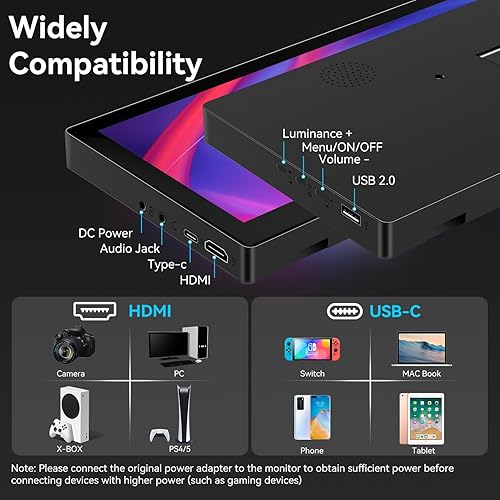
Plug & Play Monitor for On-the-Go Productivity: This mini touch monitor plug&play design allows easy connection via one Type-C to Type-C cable (device with full-featured Type-C port), making it the perfect travel monitor for professionals. (Your device should support Thunderbolt 3.0/4.0 or USB 3.1 Type C DP ALT-MODE.)
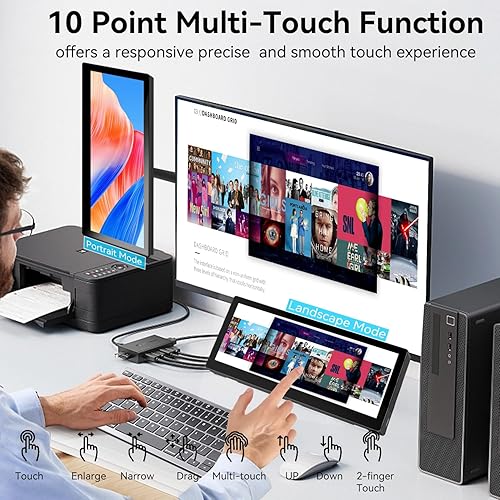
Small Monitor Touchscreen with FHD IPS Display: Experience vibrant visuals on this 10.3 inch portable monitor touchscreen featuring an FHD IPS touch screen and responsive 10-point touch for seamless interaction. Its 1920x720 resolution offers crisp, vibrant visuals, a 178°wide viewing angle, 60Hz refresh rate per
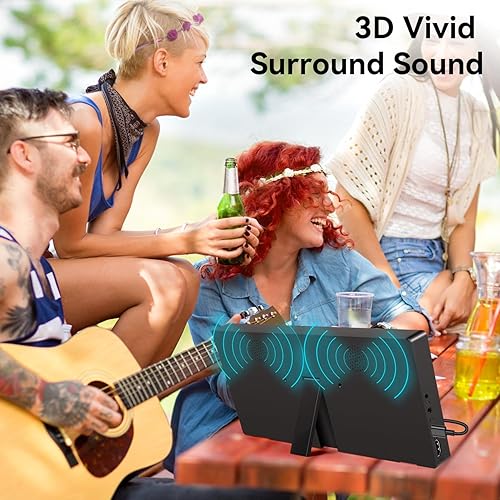
Adjustable Design with Built-in Speakers: 10.3 inch portable touch screen monitor Features a 90° adjustable stand, built-in speakers, and wall-mount capability, this touch monitors adapts to your setup preferences for optimal viewing and sound
Real-Time System Monitoring: Seamlessly integrates with AIDA64 (not included) to monitor your computer's performance. Keep an eye on CPU, GPU, system health, and more, all at a glance. (Tips: If you need to use Aida64, please download it yourself)
Instructions for the touch function: Control Panel > Tablet PC Settings > Setup > A white screen then appears, press the Enter key until the text appears on the monitor. Then simply press the touchscreen with your finger and everything will work. Whether portrait or landscape format.
There are no reviews yet.
Comment on "10.3 Inch Small Touchscreen Monitor, 400cd/m², IPS Stretched Bar LCD Mini Travel Touch Display 1920 * 720 HDMI USBC, Portable Touch Screen for Laptop Computer Windows Aida64 GPU CPU RAM Monitoring(10.3 Inch,Built-in bracket)"