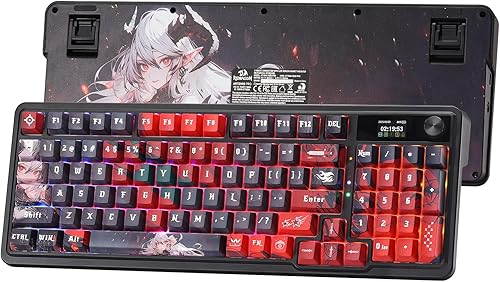
Keyboard Description: Doohoeek Keyboard Folio w/ Status Screen for Samsung Galaxy Tab S11 11 inch 2025
Recommended Uses For Product: Everyday Use
Special Feature: Backlit, Built-In Screen, Integrated Stand, Trackpad
Manufacturer: Doohoeek
About this item
ONLY Compatible with Galaxy Tab S11 11 inch 2025: The case is only compatible with Samsung Galaxy Tab S11 11-inch 2025 (model: SM-X730/SM-X736B). You may get confused about your tablet model, please tap Settings > About tablet or check the back of your device t to get its model number.
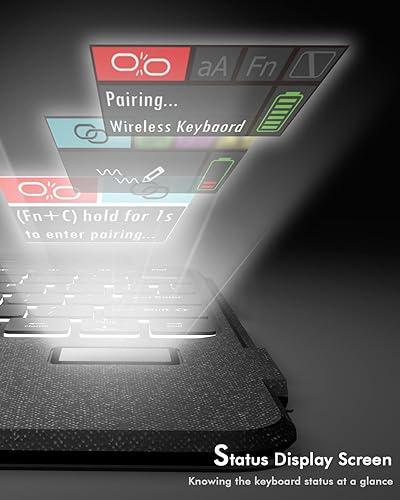
New! Status Display Screen: The screen shows real-time battery, connection or charging, knowing the keyboard status at a glance.
Type Like A Pro in Any Light: 7 colors & 3 brightness levels light up keys in dim cafes or red-eye flights. No more finger-pecking! The scissor-switch keys give laptop-like tactile feedback (and won’t annoy seatmates).
Flawless Viewing Any Way You Tilt: With any-angle kickstand, you can flip it horizontal-smoothly adjust angles (from upright Zoom calls to lazy-bed movie); Snap vertical → perfect angle for recipes or e-books.
Mag-Snap Freedom Keyboard: Strong magnets let you rip off the keyboard to read or sketch with fingers. No flimsy clips! It snaps back securely - even if your coffee-shop table wobbles.
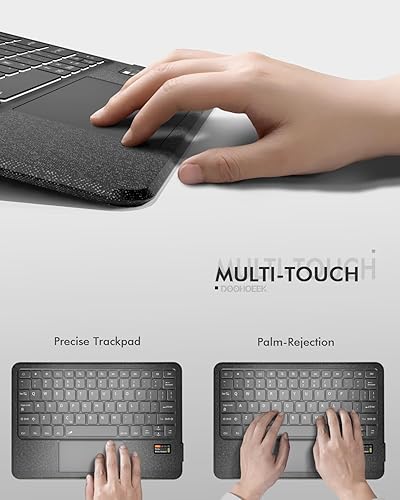
Intelligent Trackpad Control: Integrated trackpad supports multi-touch gestures (scroll, pinch-zoom, three-finger swipe). Hate accidental touches? Lock it instantly: hold "Fn" + tap spacebar!
There are no reviews yet.
Comment on "Doohoeek Keyboard Folio w/Status Screen for Samsung Galaxy Tab S11 11 inch 2025, Tab S11 11" Bluetooth Keyboard with Trackpad & Any-Angle Stand & Backlit Key, Tab S11 Keyboard Cover(10.9"-s10lite)"