WENTER USB to HDMI Adapter, USB 3.0 to HDMI Multi-Monitor Converter Audio 1080P Video Converter,Display Extender for PC Laptop Desktop Projector HDTV Compatible with Windows 7/8/8.1/10(Grey)
$18.99
🌸 Cute & Stylish Hair Accessories
🚚 Free Shipping on $18.99 📦 Ships in 3–5 Days
🔍 Carefully Inspected 💫 21-Day Returns
Product details
Compatible Devices: Desktop
Connector Type: HDMI
Color: Grey
Brand: WENTER
Item Weight: 0.1 Kilograms
About this item
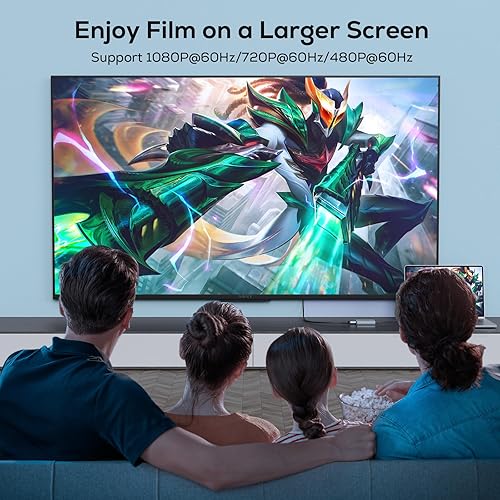
High-Definition Visual Experience: Featuring a USB 3.0 port, our USB to HDMI adapter ensures consistent and reliable performance. This adapter supports resolutions up to 1080P, works with 3D display systems, and when connected via USB, it can achieve projection at the 1920x1080P@60HZ specification.
USB 3.0 to HDMI Adapter: It can convert the USB video signals from computers or laptops into high - quality HDMI output, be suitable for HDTVs, projectors, or monitors, and enable the synchronous transmission of audio and video.
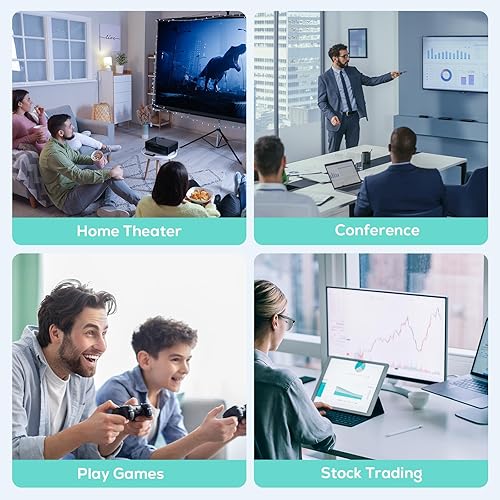
Mirror & Extend Display Modes: This USB to HDMI adapter lets you either mirror or extend your laptop’s display onto a larger screen, boosting your visual experience. It’s perfect for tasks like simultaneous multitasking, video conferences, and corporate training—plus more. For Windows users, switching between mirror and extend modes is easy with the "WIN+P" shortcut. As a versatile tool, this laptop-compatible USB to HDMI adapter works well across various scenarios.
Wide-Ranging Compatibility: Boasting strong versatility, this USB to HDMI converter fully supports the majority of Windows operatingsystems—specifically Windows 10, 8, 8.1, 7, and XP (with the exception of the 64-bit XP version). Additionally, it works smoothly with Mac OS.(Note: It’s important to note that this converter is not compatible with Linux OS or Chrome OS.)
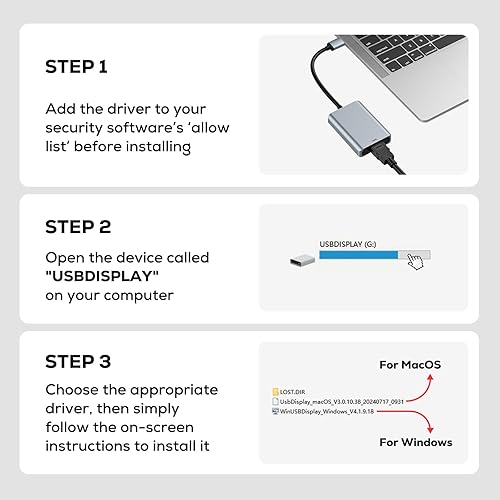
Hassle-Free Installation: Pre-installed drivers come with this USB to HDMI adapter. All you need to do is plug it into your computer, and the driver will launch an automatic installation process—just follow the prompts shown on the screen.(Note: Please install the driver before using the adapter. Some computers may display a prompt about an unregistered driver when the driver is opened; this is normal, and you can safely open and operate the driver. The product’s driver is for local use exclusively: it has no network connection, only projects the computer’s display, and doesn’t store any data. Feel free to use it without worry.)
There are no reviews yet.
Comment on "WENTER USB to HDMI Adapter, USB 3.0 to HDMI Multi-Monitor Converter Audio 1080P Video Converter,Display Extender for PC Laptop Desktop Projector HDTV Compatible with Windows 7/8/8.1/10(Grey)"